
AI! Chatbot Agent-Ask & Chat
MATdevProductivity
4.2295.00 Reviews
- Version
- 3.8.0
- Installs
- 1.00M
- Age Rating
- Everyone
Screenshots
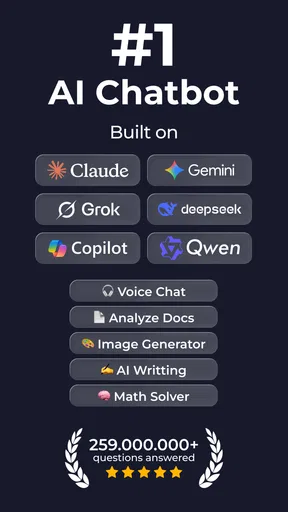
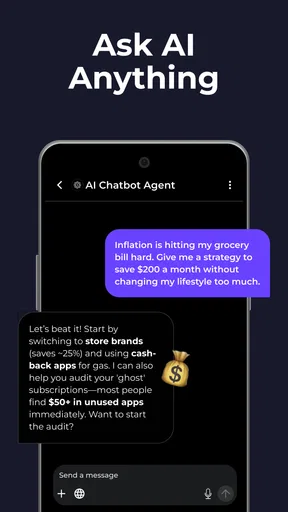

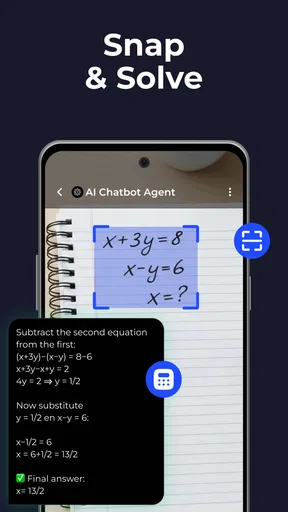
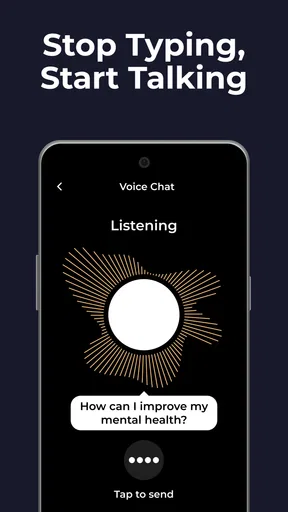
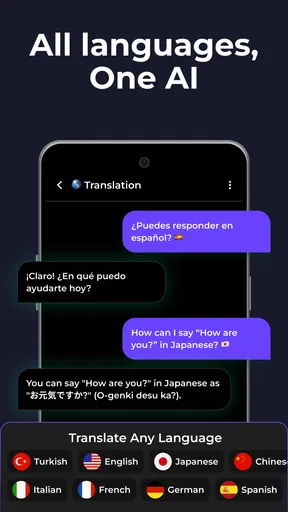
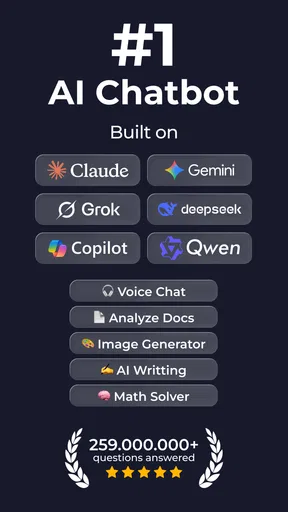
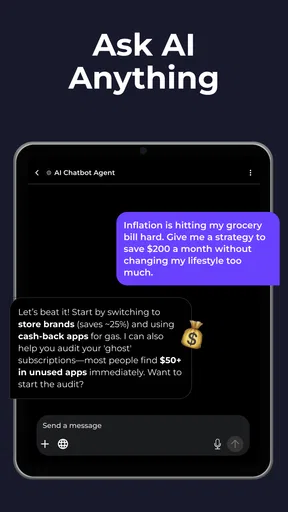
Our Review of AI! Chatbot Agent-Ask & Chat
 Analysis by Appyee
I see AI! Chatbot Agent-Ask & Chat as a handy place to try different AI conversations without committing to a single chatbot style. Its appeal is simple: ask a question, explore an idea, or get help with a small task from your phone. That convenience is real, but I’d treat its answers as a starting point rather than an authority, especially when the stakes are high.
A flexible chat tool, with a few things to keep in perspective
This is a free productivity app from MATdev, aimed at people who want an AI assistant close at hand. It has a 4.2 average from around 18,000 ratings and more than 500,000 installs, so it has attracted a sizeable audience. The app is rated for everyone, though younger users should still have an adult’s guidance when using AI for schoolwork or personal questions.
The idea of bringing several current AI models into one chat app is useful when a task could benefit from different kinds of responses. A model that explains a concept in plain language may suit a quick study question, while another answer might be more helpful for brainstorming. The practical benefit is less about collecting model names and more about having options when the first response misses the mark.
That flexibility also calls for a little discipline. AI can sound confident even when it is mistaken, and switching models does not automatically make an answer reliable. For health, money, legal matters, or anything involving a consequential decision, I’d verify important claims elsewhere. For ordinary drafting, learning, and idea generation, it can be a convenient first pass.
Small workflows that make a chatbot more useful
One good way to use a chat assistant is to give it a job and clear boundaries rather than a vague prompt. Instead of asking for “help with an email,” I’d describe who the message is for, what outcome I want, and the tone I’m aiming for. Then I’d ask for a short draft and edit it in my own voice. That makes the tool useful without handing over the final judgment.
For a study session, I’d ask it to explain one concept, then request a simple example and a short quiz. If its explanation feels too broad, I’d narrow the question rather than asking the same thing repeatedly. This kind of back-and-forth can turn a quick answer into a more active learning exercise, though I would still compare factual material with class notes or a trusted reference.
It can also help when I’m stuck at the blank-page stage. I might ask for several angles for a presentation, a rough outline for a weekend plan, or a list of questions to ask before starting a project. The useful trade-off is speed versus originality: the suggestions can get me moving, but they often need personal details and editing before they feel specific or thoughtful.
Who is likely to get the most from it?
I’d recommend it to curious users who want an approachable way to ask everyday questions and experiment with AI responses. It should suit someone who drafts messages, wants quick explanations, practices a language, or uses a chatbot for light creative prompts. It may also appeal to people who like comparing how different models handle the same request instead of opening several separate services.
A realistic use might be planning a busy weekday evening. I could ask for a simple dinner idea based on ingredients I already have, request a shorter preparation plan, and then turn the result into a checklist. I’d still check allergies, cooking temperatures, and any dietary needs myself. The value is in getting an organized starting point quickly, not in assuming the assistant knows every detail of my kitchen or preferences.
It is a weaker fit for anyone who expects a chatbot to replace a search engine, a specialist, or a carefully maintained personal knowledge system. Search is often better when I need to inspect sources and freshness directly. A dedicated writing or study tool may be preferable if I need a more structured workflow. And if I mainly want dependable answers with clear citations, I’d choose a service built around that need rather than relying on conversational fluency alone.
Costs, model choice, and the value of trying before relying
The app is free to install, with optional in-app purchases priced from $1.99 to $59.99 per item. I’d begin with the free experience and only consider paying if I use it often enough to identify a specific limitation that a purchase addresses. Before buying, I’d check the current in-app details and make sure the available options match how I actually use the app; a broad list of models is not, by itself, a reason to spend.
One practical habit is to test a model with the same prompt when comparing responses. Keep the question, context, and requested format consistent, then look for clarity, useful caveats, and whether the answer follows instructions. This makes the comparison more meaningful than switching models and changing the prompt at the same time. It also helps reveal when a task is better handled by a normal search or a specialist app.
I’d avoid putting private or sensitive information into any chatbot unless I had carefully checked how that service handles it. A chat interface can feel like a private conversation, but that feeling is not a substitute for understanding the app’s current privacy terms. For routine prompts, I’d leave out names, account details, addresses, and other identifying information.
The app’s current version is 3.1.6, and it was released on May 7, 2024. It requires Android 8.0 or later. Those details make it straightforward to judge basic device compatibility, but the more important question is whether its conversational approach suits your habits. If you only need occasional factual lookups, a browser may be simpler. If you enjoy iterative prompts and want a flexible assistant, this format makes more sense.
What should a new user ask first? I’d start with a low-stakes task that has a clear result, such as rewriting a paragraph more plainly or outlining a simple plan. Does it work for school? It can help explain and practice, but I’d use it to support learning rather than submit generated work as my own. Is it suitable for sensitive questions? I would keep personal details out and verify serious advice independently. Those are sensible boundaries for any general-purpose AI chat app.
There is also a difference between a useful assistant and a dependable record keeper. I wouldn’t use a chatbot as the only place to store instructions, research, or decisions I need to retrieve later. If a response matters, I’d save the parts I have checked in a notes app or document I control. That extra step avoids relying on a chat thread as a long-term reference and makes it easier to revisit information in context.
My overall take is that this app is most appealing when I want a quick conversational partner for low-risk tasks and enjoy having model options in one place. It asks for a little judgment from the user: shape prompts carefully, review answers, and know when another tool is better. If that sounds like a fair trade, it is worth trying; if you want guaranteed accuracy or a specialized workflow, I’d look elsewhere.
Hey there! So, I recently got my hands on this nifty little app called AI! Chatbot Agent-Ask & Chat, and I’ve been having quite the experience with it. If you’re into chatting with AI or just looking for a new way to get some quick info, this might just be the app for you. Let’s dive into what this app is all about.
Getting Started with AI! Chatbot Agent
First things first, let’s talk about setting up. Downloading AI! Chatbot Agent-Ask & Chat is a breeze. It’s available on both Android and iOS, so you’re covered no matter what kind of phone you have. Once you’ve installed it, the interface welcomes you with a clean, user-friendly layout. I love how it doesn’t bombard you with a ton of instructions. It’s pretty much plug and play!
Features That Stand Out
Now, onto the juicy bits. This app is packed with features that make interacting with an AI chatbot surprisingly engaging. You can ask it almost anything, and the responses are impressively quick and relevant. Whether you’re looking for a recipe, need help with math problems, or just want to have a casual chat, this app’s got your back.
One of the standout features is its ability to learn from your interactions. The more you chat, the smarter it gets. It’s almost like having a personal assistant that evolves with you. Plus, it’s got this cool feature where it can switch between different conversational styles. So, if you’re in the mood for something humorous or need a more formal tone, it adapts accordingly. Pretty neat, right?
User Experience and Design
I must say, the design of AI! Chatbot Agent is easy on the eyes. The developers have done a fantastic job keeping it simple yet attractive. The app doesn’t try too hard with flashy graphics but focuses more on functionality, which I appreciate.
Navigating through the app feels intuitive. You can easily access previous chats, customize settings, and even get recommendations on what to ask next. The app’s responsiveness is another plus, making it a smooth experience overall.
Real-Life Usability
Alright, let's talk about how this app fits into everyday life. Personally, I found it super helpful for quick information retrieval. Forget digging through search results; just ask your chatbot a question, and boom, you have your answer.
Another aspect where it shines is providing entertainment. When boredom strikes, having a chat with an AI that can crack jokes or tell stories is surprisingly satisfying. It’s like having a pocket-sized companion that’s always ready to chat.
For students, this app could be a game changer. It can tackle homework queries, provide explanations, and even help with language learning. I tried asking it some basic Spanish phrases, and it was pretty spot-on.
Privacy and Security
In today’s digital age, privacy is a big concern, and rightly so. This app takes this seriously. The app doesn’t store your conversations, which means your data isn’t floating around in the cloud for all to see. They’ve clearly made an effort to ensure users feel secure while using it.
There’s also the option to clear your chat history at any time, which is a nice touch for those who like to keep things tidy.
Final Thoughts
So, is it worth a download? In my opinion, absolutely. It’s a fun, versatile app that can serve a variety of purposes, from practical to purely entertaining. While it’s not perfect — no AI is — it does a remarkable job at providing a seamless chatting experience.
If you’re curious about AI or just want to see what all the fuss is about, give this app a whirl. It’s a fantastic way to dip your toes into the world of AI chatbots without any commitment.
And there you have it! My take on this chatbot app. Whether you’re tech-savvy or just starting out, I hope this review gives you a better idea of what to expect. Happy chatting!
Verdict
Strengths of AI! Chatbot Agent-Ask & Chat
- User-friendly interface enhances experience.
- Offers multilingual support for diverse users.
- Quick response time for instant answers.
- Customizable settings for personalized use.
- Supports voice input for hands-free operation.
Limitations of AI! Chatbot Agent-Ask & Chat
- Limited free features; subscription required.
- Occasional errors in complex queries.
- Requires internet for optimal functionality.
- Privacy concerns with data storage.
- Ads can be intrusive during use.
Similar Picks in This Category
View All
Google Calendar
Google LLC4.6

Google Drive
Google LLC4.3

Google Assistant
Google LLC3.9

Microsoft OneDrive
Microsoft Corporation4.6

Samsung Calendar
Samsung Electronics Co., Ltd.4.1

Microsoft OneNote: Save Notes
Microsoft Corporation4.6
Frequently Asked Questions
What platforms is AI! Chatbot Agent-Ask & Chat available on?
AI! Chatbot Agent-Ask & Chat is available on both Android and iOS platforms. Users can download it from the Google Play Store for Android devices or the Apple App Store for iOS devices. Ensure your device meets the minimum system requirements for optimal performance.
Is AI! Chatbot Agent-Ask & Chat free to use?
AI! Chatbot Agent-Ask & Chat offers a free version with basic features. However, for an enhanced experience, users can opt for a premium subscription that unlocks additional functionalities. Check the app store listing for details on pricing and what each subscription tier includes.
How does AI! Chatbot Agent-Ask & Chat ensure user privacy?
User privacy is a top priority for AI! Chatbot Agent-Ask & Chat. The app employs end-to-end encryption to protect conversations. Additionally, it adheres to strict privacy policies and does not share user data with third parties without consent. Users can review the privacy policy within the app settings.
Can AI! Chatbot Agent-Ask & Chat understand multiple languages?
Yes, AI! Chatbot Agent-Ask & Chat supports multiple languages, making it accessible to a global audience. Users can select their preferred language in the app settings. The chatbot is designed to understand and respond in the chosen language, providing a seamless user experience.
What kind of questions can I ask AI! Chatbot Agent-Ask & Chat?
AI! Chatbot Agent-Ask & Chat is designed to handle a wide range of queries. Users can ask about general knowledge, receive recommendations, or even request assistance with daily tasks. The AI continually learns and adapts to provide accurate and helpful responses to diverse inquiries.
